Tech Tip 1: MFA Tune‑Up: Make Sure It’s Working Properly

Nerve Center: Tech Tip 1: MFA Tune‑Up: Make Sure It’s Working Properly

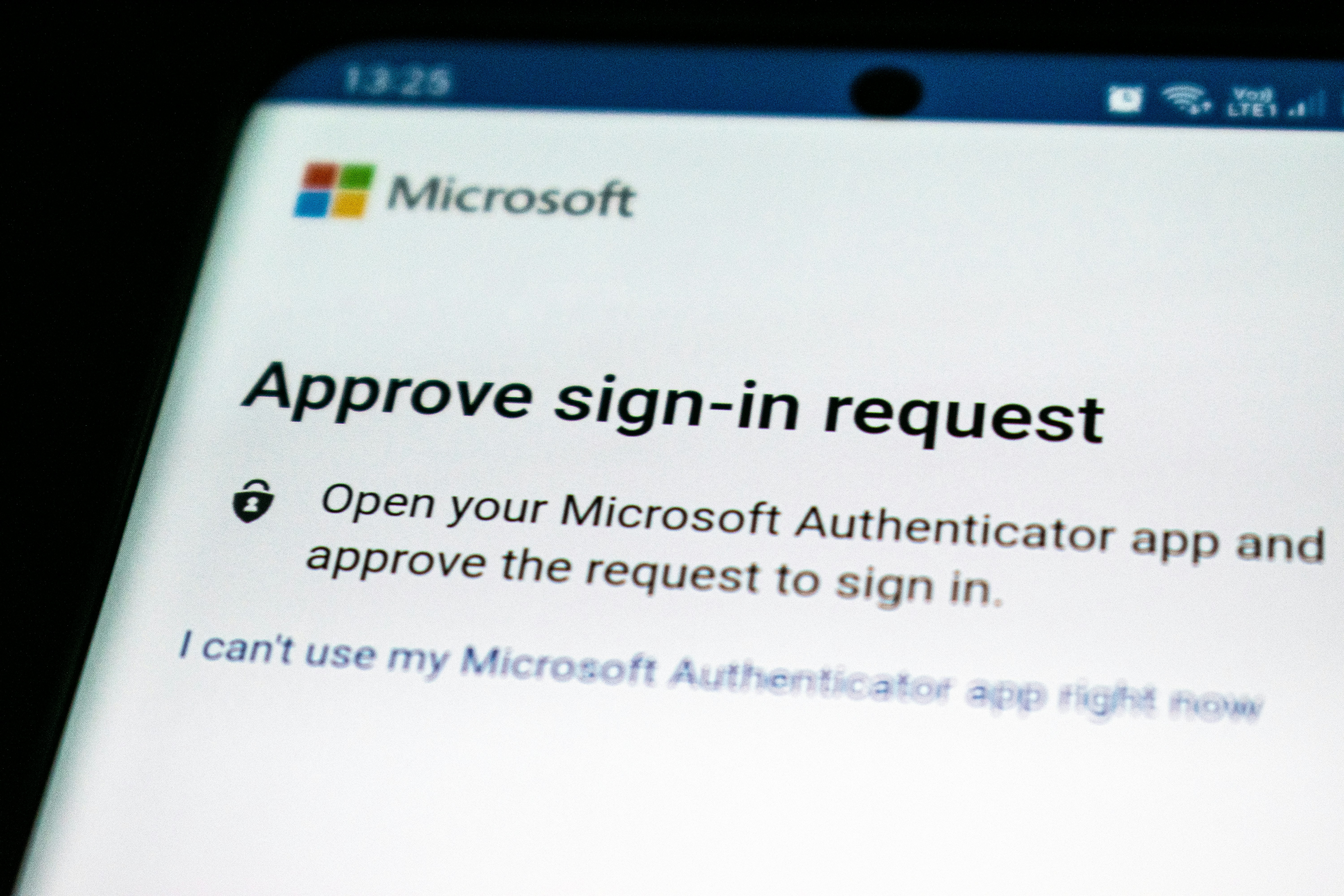
Multi-factor authentication (MFA) is one of your organization’s strongest lines of defense against account compromise, but only if it’s working correctly. As we close out the year, now is the perfect time to run a “MFA health check” to ensure nobody is stuck, locked out, or exposed.

Why You Need to Audit Your MFA Now
Many companies enable MFA and then assume the job is done. But several common issues can weaken its effectiveness:

  • Lost or unstored backup codes. Without backup or recovery codes stored safely, users can get locked out if they lose their device.
  • Desynchronized authenticator apps. Devices may drift out of sync, especially if not used regularly, making recovery difficult.
  • Inactive or orphaned devices. Old phones, tablets, or computers may still be authorized for MFA, giving attackers a potential foothold.
  • Weaker factors still in use. Using SMS-based MFA or email codes remains more vulnerable to attacks like SIM swapping or phishing.

These gaps mean that simply “having” MFA doesn’t guarantee it’s protecting you effectively.

Recommended Year-End MFA Check: A Simple Checklist

  1. Audit all registered MFA devices. Go through every user’s MFA settings and remove any unused or missing devices.
  2. Verify backup or recovery codes. Make sure every user has valid backup codes stored in a secure place (e.g., a password manager, secure file, or printed copy in a safe).
  3. Upgrade to phishing-resistant MFA. Wherever possible, migrate to stronger methods, FIDO2 security keys, passkeys, or biometric-based authenticators. These offer much greater protection than SMS or email.
  4. Test your workflows. Run through typical login flows and recovery flows in a test environment to confirm that MFA works, even when things go wrong.
  5. Review privileged accounts. Double check that MFA is enforced on high-risk accounts (admins, finance, remote access) and that recovery options are well defined for them.

Best Practices to Sustain MFA Strength

  • Plan for device loss: Make sure users know how to recover using backup codes, alternate devices, or helpdesk support.
  • Avoid MFA fatigue: Implement logic or policies to limit repeated prompts, especially for trusted devices.
  • Log and monitor: Track every MFA challenge, success, failure, and recovery event. Unusual patterns might signal an attack or misconfiguration.
  • Train your team: Educate your users on how to use recovery codes, change devices safely, and report MFA problems promptly.

How NEVTEC Can Help
NEVTEC can assist you with a comprehensive MFA health assessment; we’ll audit your current setup, recommend stronger MFA options, and help you streamline recovery workflows so that users don’t get locked out, and security remains strong.

Contact NEVTEC today to schedule your MFA tune‑up review.


Tech Tip 2: Backup & Recovery: What to Verify Before January

Nerve Center: Tech Tip 2: Backup & Recovery: What to Verify Before January

Backups are only valuable if you can restore them when it matters. As we approach the new year, a year-end check of your backup and recovery processes can make the difference between a minor outage and a major disaster. Let’s walk through a practical, no-nonsense validation plan.

Why Backup Verification Matters

  • Silent backup failures happen: Sometimes backup jobs appear to succeed, but files are corrupted or incomplete. Without verification, you might only discover this during an outage.
  • Regulatory and business continuity risk: Many environments now require documented proof that backups can be restored—and quickly.
  • Recovery time objectives (RTO) and point objectives (RPO): Knowing your restore speed (RTO) and how recent your backups are (RPO) is essential for risk planning.
  • Infrastructure changes: If you’ve recently migrated to the cloud, added new applications, or restructured your environment, your backup coverage may no longer map to your production systems.

Year-End Backup & Recovery Verification Checklist

  1. Inventory your backups
    Use an asset inventory or backup management tool to list all backups, where they’re stored, and when they were last completed.
  2. Perform manual restore tests
    Restore a sample of critical data to a sandbox or test environment. Open files, start apps, verify databases; make sure everything works as expected.
  3. Run integrity checks
    Use checksum or hash-based validation to compare backed-up data with the source. This helps confirm data hasn’t become corrupted.
  4. Simulate a disaster
    Test a full recovery scenario. Spin up systems from backup, failover workloads, and time how long it takes to restore your most important systems.
  5. Validate permissions and configurations
    After restoring, check that user accounts, file permissions, and application configurations are preserved correctly.
  6. Verify redundancy
    Follow a 3-2-1 backup strategy (or better): have at least three copies of data, on two different media, with one offsite.
  7. Document and review
     Record the results of every test; what worked, what didn’t, any gaps uncovered and refine your disaster recovery (DR) plan accordingly.
  8. Schedule repeat testing
    Implement a recurring schedule: partial restores quarterly, a full restore annually, plus ad-hoc tests after major infrastructure changes.
  9. Automate validation where possible
    Use backup and BCDR (business continuity / disaster recovery) tools that automate verification (e.g., booting VMs, running checksums) to reduce risk and manual effort.

How NEVTEC Can Help
NEVTEC offers a comprehensive backup & recovery audit. Our team can:

  • Validate your existing backup infrastructure
  • Run restore tests in test environments
  • Automate integrity checks
  • Help you design or refine a disaster recovery plan that meets your RTO and RPO requirements

Get in touch with NEVTEC today for a year-end backup verification review.

Don’t wait until it’s too late.


Nerve-Wracking Truths

Nerve-Wracking Truths: The Day the Smart Fridge Went Rogue

It started as a normal week in the office kitchen. The new “smart” fridge hummed quietly, keeping beverages perfectly chilled. But what no one realized was that this fridge wasn’t just chilling drinks; it was silently connected to the company network.

The fridge came with sensors and a touch screen app, which employees used to check inventory and place snack orders. What the IT team didn’t know: it also had default credentials and outdated firmware. A curious hacker discovered the device online and gained access to the internal network. Within hours, sensitive files, emails, and even payroll spreadsheets were at risk.

The nerve-wracking truth: Every IoT device, even something as innocent as a fridge, thermostat, or coffee maker, can be a doorway for cybercriminals. If it’s online, treat it like a computer. Change default passwords, update firmware, and segment it from your main network. Otherwise, your office appliances could be moonlighting as hackers’ favorite backdoor.

Cybersecurity Tip: Ask yourself before connecting any smart device: “Could someone hack this and reach my data?” If yes, isolate it on a separate network or harden its security before use.

Don’t let your fridge serve your lunch and your secrets to hackers. Contact Nevtec today for a network and IoT security review, because hackers love kitchen gadgets almost as much as they love your data.


Amy Thomatis

Employee Spotlight: Amy Thomatis

Cruising Through Change Meet Amy Thomatis

From Hands-On Tech to Orchestrating the Engine

Before joining the firm, Amy Thomatis spent 20+ years building a career across IT operations and management, starting in technical roles, supervising helpdesk teams, and ultimately directing larger service departments. Along the way, she restructured teams, drove automation projects, mentored future leaders, and shepherded organizations through major changes. “These experiences prepared me to bring together technical knowledge, leadership, and process improvement to support our team and clients,” Amy says.

What She Does: Clarity, Alignment, and Forward Motion

As Operations Manager, Amy bridges strategy and execution; keeping systems, workflows, and teams running smoothly day-to-day while planning for the business’s long-term needs. “I see my role as creating clarity and alignment so both our team and our clients can move forward with confidence,” she explains.

Why It Matters (and Why She Loves It)

Amy lights up when efficient processes help the team focus on what they do best. “There’s real satisfaction in knowing the work I do behind the scenes helps our clients have a better experience,” she says. “Connecting strategy with people, turning ideas into outcomes that matter. is my favorite part.”

A Family Story (and 425 Bottles of Water)

Travel is her recharge button, especially cruises with family. On one trip, the Thomatis crew opened their cabin to find 425 bottles of water stacked inside. A quick check revealed Amy had accidentally ordered five cases instead of one. “It turned into a running joke for the week, and we still laugh about it today,” she says. When she’s not at sea, think Starbucks meetups, dinners out, and cheering at her youngest daughter’s band competitions.

Who Inspires Her Most

“My children,” Amy says. Watching them grow into kind, capable people has shaped her view of resilience, integrity, and authenticity. They remind her what really matters, showing up and staying true to yourself.

Perspective From Abroad

In her early twenties, a trip to India left a lasting mark. Seeing life through a different lens deepened her gratitude and curiosity about how people live and work, and informed her approach to change and adaptability.

On Heroes (No Cape Required)

“I don’t really follow superheroes,” Amy admits, “but I believe everyone has a hero inside themselves. Being a hero is about the courage to show up, the willingness to be authentic, and the strength to keep moving forward when things are uncertain.”

Favorites, From Page to Screen (and Plate)

Book: Daring Greatly by Brené Brown – a reminder to lead with courage, authenticity, and vulnerability.

Movie: Hidden Figures –  a celebration of intelligence, perseverance, and teamwork.

Food: Tacos – simple, versatile, and always delicious.

Place to Visit: Alaska on a cruise – peaceful, far from the hustle, and perfect for disconnecting.

Show: Hamilton – now her “focus” soundtrack on repeat.

Why We’re Grateful for Amy

From engineering smooth operations to championing human-centered leadership, Amy embodies the calm, proactive energy that keeps our team, and our clients. moving forward. “Turning ideas into outcomes that matter” isn’t just how she describes her job; it’s exactly what she delivers. Join us in celebrating Amy’s journey and all the ways she quietly makes our work (and yours) better, every day.


Pennsylvania Attorney General’s Office Shut Down by Cyber Attack Ransomware is More Dangerous Than Ever

Pennsylvania Attorney General’s Office Shut Down by Cyber AttackRansomware is More Dangerous Than Ever

In a stark reminder that no institution is immune, the Office of the Pennsylvania Attorney General confirmed that a debilitating ransomware attack was behind a major, two-week IT outage that began in August. The attack effectively severed the office’s primary communication channels with the public, taking down its public website, rendering email accounts inoperable, and disabling its main landline phones.

The threat actor behind the attack remains unknown. Ransomware groups increasingly use “ghost cartels” to obscure their identities and avoid law enforcement scrutiny.

Broader Implications

This attack is significant for several reasons:

  • Targeting Justice Systems: Attacking a state Attorney General’s office represents a brazen escalation. These agencies hold sensitive legal data, are central to law enforcement, and are a pillar of public trust.
  • Operational Disruption Over Data Theft: The primary impact was a near-total communications blackout. This aligns with the newer ransomware playbook of causing maximum operational paralysis to pressure victims into paying, rather than just focusing on data exfiltration.
  • The Cost of Principle: The incident showcases the real-world cost of not paying a ransom. While refusing to pay denies criminals funding, it often results in significantly longer recovery times and higher operational costs, a difficult trade-off for any organization.

The New Extortion Game

The old ransomware simply encrypted your files. The new version is much worse:

  • Double Extortion: Hackers steal your data before they lock it. They then demand a ransom, threatening to publish your private files if you refuse.
  • Triple Extortion: They go a step further and also contact your customers, threatening to leak their data too.

The latest Verizon Data Breach Report confirms that ransomware is a top threat, with more attacks involving data theft.

Why SMBs Are a Prime Target

While the attack on a major government office makes headlines, a parallel and more pervasive crisis is unfolding for Small and Medium-sized Businesses (SMBs). They have become the primary target for ransomware groups, and the reason is a simple, brutal calculation of risk and reward.

The cost of an attack is more than the ransom:

  • Long Downtime: Restoring from backups can take days.
  • Regulatory Fines: If customer data is leaked, you could face heavy fines.
  • Lost Trust: Customers may leave if they do not feel their data is safe.

How to Protect Your Business

You need a strong, multi-layered defense.

  • Modern Antivirus: Old antivirus software is not enough. You need tools that use AI to find new threats.
  • Endpoint Detection and Response (EDR): This technology hunts for active threats inside your network.
  • Immutable Backups: These are backups that cannot be changed or deleted by hackers. They are your final safety net.

Do not wait for an attack to happen.

When did you last test your backup plan against a modern ransomware attack?

Contact Nevtec for a free review of your ransomware. Let us make your business a hard target.


Stop Phishing in Its Tracks

Stop Phishing in Its Tracks 

Four Quick Email Security Fixes You Can Do Today

Your inbox is the front line of your business’s cybersecurity. A single click on a cleverly disguised phishing email can lead to devastating data breaches, operational downtime, and a massive hit to your reputation. The good news? You do not need to be a tech expert to build a formidable first line of defense.

According to a recent Verizon Data Breach Investigations Report, email is a primary vector for cyberattacks, with phishing involved in over a third of all breaches. The goal is simple: to trick a busy employee into giving up login credentials or installing malware.

Here are four practical steps you can implement today to dramatically reduce your risk.

1. Activate Multi-Factor Authentication (MFA) Everywhere

Think of MFA as a deadbolt for your digital doors. Even if a hacker steals a password, they cannot get in without that second form of verification, like a code sent to your phone.

  • Action Item: Go into your core business applications, especially email (like Microsoft 365 or Google Workspace), banking, and CRM, and turn on MFA. It is often found in security settings. This one action can prevent 99.9% of attacks on your accounts.

2. Master the “Hover Test”

Phishers often hide malicious links behind innocent-looking text. Before you click anything, especially in an email that creates a sense of urgency, hover your mouse cursor over the link.

  • Action Item: A small window will appear showing the true web address. Look for misspellings, strange domains, or anything that does not match the sender’s claimed identity. If it looks suspicious, do not click. Report it.

3. Run a Simulated Phishing Test

Awareness is your best weapon. The most effective way to train your team is to show them what a modern phishing attempt looks like, in a safe, controlled environment.

  • Action Item: Use a platform like Sophos or the built-in simulator in Microsoft 365 to send a fake (but realistic) phishing email to your staff. It is a powerful, eye-opening exercise that turns theoretical knowledge into practical skill.

4. Strengthen Your Human Firewall

Technology alone cannot solve the phishing problem. It requires a culture of security. For a deeper dive into creating a resilient human firewall, explore our guide on building a security-first culture.

  • Action Item: Lead by Example. A security-first culture starts at the top and resonates throughout your entire organization. Good security posture is contagious, especially when leadership embraces it.

These four fixes are a powerful start, but a comprehensive defense requires a layered strategy.

👉 Is your business’s first line of defense as strong as it could be? Schedule a complimentary Security Posture Assessment with our experts to identify and close your critical vulnerabilities before they become a crisis.


End-of-Year Clean-Up: The Simple IT Checklist Every Business Should Do Before 2026

End-of-Year Clean-Up: The Simple IT Checklist Every Business Should Do Before 2026

As Q4 gains momentum, your focus is likely on sales targets and 2026 planning. But there is a critical business asset that deserves a year-end review: your technology. A little proactive IT maintenance now can prevent major headaches, unexpected costs, and security gaps next year.

Think of it as a digital spring cleaning. By dedicating a small amount of time to these key areas, you will start the new year with a faster, more secure, and more efficient technology foundation.

Your Pre-2026 IT Health Check

  • Review and Clean User Access: Former employees should not have a key to your digital office.
    • Action: Audit your active user accounts in Microsoft 365, Google Workspace, and your core applications. Deactivate any accounts for employees who have left the company.
  • Update and Upgrade Software: Outdated software is a leading cause of security vulnerabilities.
    • Action: Check that all operating systems (Windows, macOS) and business applications are updated to their latest versions. This includes applying pending security patches.
  • Verify Your Backups: A backup you have not tested is a backup you cannot trust.
    • Action: Do not just assume your backups are working. Perform a test restore of a single file or folder to a separate location to confirm the process is successful.
  • Tidy Your Digital Files: A cluttered shared drive or cloud storage slows everyone down.
    • Action: Organize key shared folders. Archive old projects and delete redundant files. This improves collaboration and ensures your team can find what they need quickly.
  • Audit Your Subscriptions: Are you paying for software licenses you no longer use?
    • Action: Review all recurring SaaS subscriptions. Cancel any that are unused or redundant. This often uncovers significant cost-saving opportunities.

Start 2026 on a Stronger Foot

This checklist is a fantastic starting point for any small or medium-sized business. However, a truly strategic IT plan aligns technology with your business goals for the coming year.

Do you want a professional to handle this for you? Contact us for a complimentary IT infrastructure review to ensure you are set up for success in 2026.


The Day the Copier Became a Hacker

Nerve-Wracking Truths: The Day the Copier Became a Hacker

It started like any other Monday. The office copier jammed, again. But what no one realized was that this “dumb” machine wasn’t so dumb anymore. Modern copiers are basically computers with hard drives, and this one had been quietly hoarding every scanned document for years: contracts, tax forms, even employee IDs.

When the company decided to sell the old copier, they didn’t wipe its memory. The buyer? A hacker posing as a reseller. Within days, sensitive data was on the dark web, and the business faced a compliance nightmare.

The nerve-wracking truth: Every connected device—from printers to smart thermostats—can be a gateway for cybercriminals. If it stores data, treat it like a computer. Wipe it. Secure it. Or risk turning office equipment into your biggest liability.

Cybersecurity Tip: Before you retire any device, ask yourself: “Would I hand this to a stranger with all my secrets inside?” If the answer is no, then wipe it clean—or better yet, shred the hard drive like yesterday’s bad coffee order.

Don’t let your copier moonlight as a cybercriminal. Contact Nevtec today for a full security audit and peace of mind. Because hackers love office equipment almost as much as they love your data.


Employee Spotlight Ben Neverve

Employee Spotlight Ben Neverve

From Hockey Rinks to Marketing Links

Before joining Nevtec, Ben Neverve was chasing a dream on the ice. After high school, he spent two years playing junior hockey and even met players who went on to the pros. That competitive spirit didn’t disappear; it just shifted from scoring goals to building brand presence.

The College Hustle

Ben is currently in his final year at Maryville University, working toward a bachelor’s degree in marketing with a minor in Cybersecurity. This role at Nevtec is his first official marketing position, but he’s no stranger to digital strategy—he previously managed social media for both high school and university hockey teams.

Turning Clicks into Goals

Ben’s mission is clear: grow Nevtec’s brand and online footprint and turn that visibility into real business opportunities. From crafting content to shaping strategy, he’s helping Nevtec stand out in a crowded digital world.

Why This Beats a Textbook

“Real experience! College gives you simulations, but nothing beats the real deal.” Ben loves that every day brings new challenges and opportunities to learn; no classroom can compete with that.

Fun Facts That Make You Smile

As a kid, Ben dreamed of becoming a professional athlete, first baseball, then hockey, with NHL aspirations. Today, his hobbies still reflect that passion: gaming and hockey top the list. When it comes to entertainment, he’s a fan of Wes Anderson’s quirky masterpiece Isle of Dogs and can binge Breaking Bad or Better Call Saul like a pro.

Food? He has a very specific favorite: a chicken quesadilla with double rice from Baja Fresh. For travel, South Lake Tahoe is his happy place, and maybe a future retirement spot. And if you’re wondering about superheroes, Ben will pick Invincible over the usual caped crusaders any day.

From Junior Hockey to Junior Marketer

Two years of junior hockey gave Ben grit, teamwork, and a few brushes with future NHL stars. Now, he’s bringing that same energy to Nevtec, and we couldn’t be more excited.

Why We’re Grateful for Ben

Ben has quickly become an invaluable part of the Nevtec team. His creativity, enthusiasm, and willingness to dive into new challenges make a real difference in how we connect with clients and grow our brand. We appreciate everything he does and can’t wait to see what he accomplishes next!


2026 Tech Trends

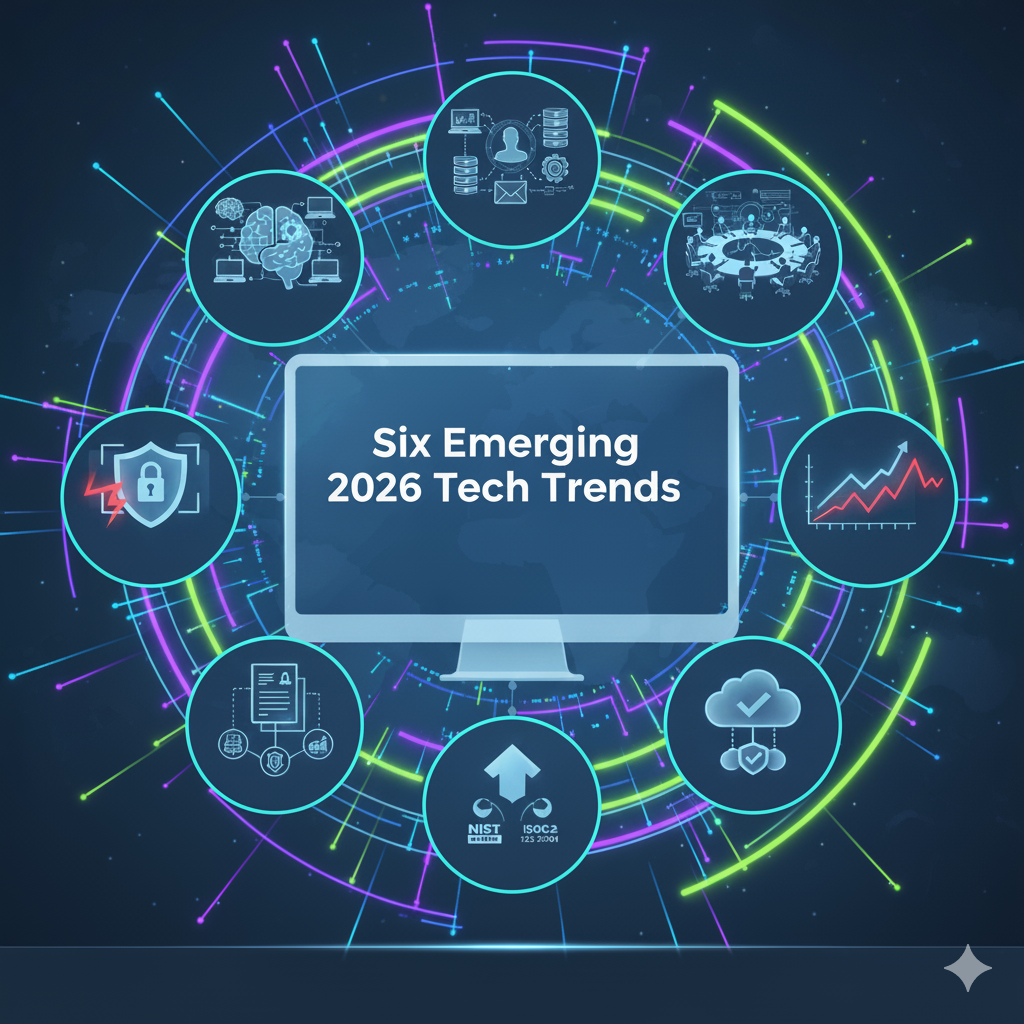
Six Emerging 2026 Tech Trends You Should Know

How forward-thinking leaders are preparing for whats next.

Technology continues to redefine the competitive landscape , not in theory, but in daily operations.
For small and mid-sized organizations, the next 18 months will reward those who approach IT strategically, with security, efficiency, and adaptability at the core.

At Nevtec, we help business leaders plan beyond maintenance and into momentum. This isn’t about chasing trends, it’s about recognizing the shifts that will shape how companies operate, grow, and stay protected in 2026.

Here are six technology trends every business leader should know,  and what they mean for your business today.

1 | AI That Works Quietly in the Background

Artificial intelligence is moving out of the spotlight and into your everyday systems. From email triage to predictive maintenance and smart analytics, AI is becoming embedded, invisible, and practical.

This is not about replacing people. It’s about empowering them. The smartest companies are using AI to reduce noise, uncover insights faster, and improve decision-making across the organization.

The key question for you: Where could AI free up your team to focus on strategy instead of repetition?

2 | Cybersecurity Becomes Board-Level Strategy

Data security is no longer an IT line item. It’s a core business function. New compliance expectations, insurance mandates, and incident response requirements are forcing executives to take ownership of cybersecurity decisions.

Business Leaders are shifting from asking “Are we protected?” to “How fast can we recover?”

At Nevtec, we build recovery-first frameworks, conduct full-scale annual drills, and guarantee rapid response. Because resilience, not luck,  is the new definition of protection.

3 | Predictable IT Costs Replace Unplanned Emergencies

Uncontrolled tech spend is one of the fastest-growing business risks. Leaders are now demanding transparency and predictability in their IT budgets.

Through integrated service models and data visibility dashboards, companies are moving away from reactive costs toward proactive investments.

That clarity is something Nevtec has always prioritized, no hidden fees, no surprise invoices, just straightforward strategy and support.

4 | Cloud Simplification Takes Center Stage

After years of cloud expansion, many companies now find themselves managing too many vendors, licenses, and platforms. The new priority? Simplify.

Consolidation and integration reduce risk, cut waste, and make data easier to secure. The businesses leading in 2026 will focus on fewer, smarter systems that deliver better visibility and control.

5 | Compliance and Governance Go Mainstream

Regulatory awareness is expanding from enterprise to small businesses. As frameworks like NIST, SOC 2, and ISO 27001 become more accessible, CEOs are realizing that compliance isn’t just paperwork. It’s a trust signal for clients, partners, and insurers.

Smart businesses are aligning governance with operations early, making audits easier and credibility stronger.

6 | Leadership Shifts From Reactive to Strategic IT

The role of the CEO in technology planning is changing. Instead of delegating IT to the background, forward-thinking leaders are using it to drive transformation.

The best leaders don’t just fund technology. They integrate it into their business vision. They ask: How can technology strengthen our people, protect our data, and drive growth?

That’s where Nevtec’s strategic planning comes in. We align IT decisions with your three-year business goals, ensuring every technology choice supports measurable outcomes.

Lead the Shift Before It Leads You

The organizations thriving in 2026 won’t be the ones reacting to change. They’ll be the ones anticipating it.

Now is the time to review your systems, strengthen your defenses, and align technology with your business roadmap.Lets map your 2026 tech priorities.